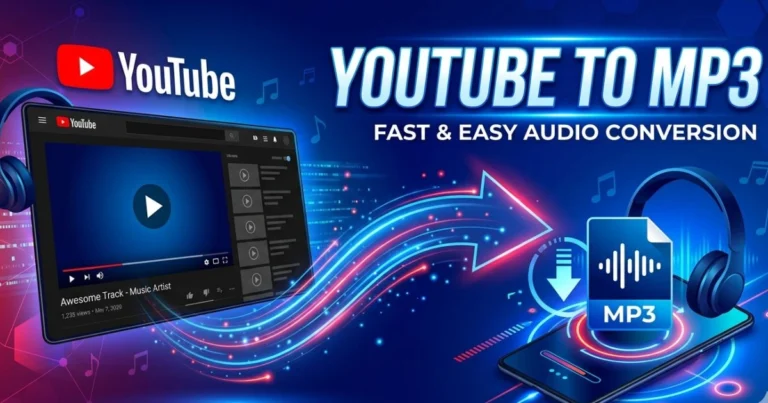
Best YouTube to MP3 Converter Tools (2026 Guide)
Table of Contents
You know that feeling. You’re scrolling through YouTube, and suddenly you stumble across something that stops you cold — a live acoustic session from your favorite artist, a motivational speech that genuinely gives you chills, or a language lesson you’ve been hunting for weeks. You hit play. It’s perfect.
Then reality kicks in. Your commute starts. The Wi-Fi drops. Your data runs out. And just like that, that perfect audio moment is gone — locked behind a screen you can no longer access.
That’s not just inconvenient. For millions of people, it’s a daily frustration. And it’s precisely why the search for the best YouTube to MP3 converter has exploded in 2026. People don’t just want video — they want their audio, on their terms, wherever they go.
This guide was built for you. Whether you’re a student saving lectures, a commuter building playlists, or a researcher archiving interviews, you’ll find the right tool here — tested, compared, and explained without the technical fog.
What Is a YouTube to MP3 Converter and Why Do You Need One?
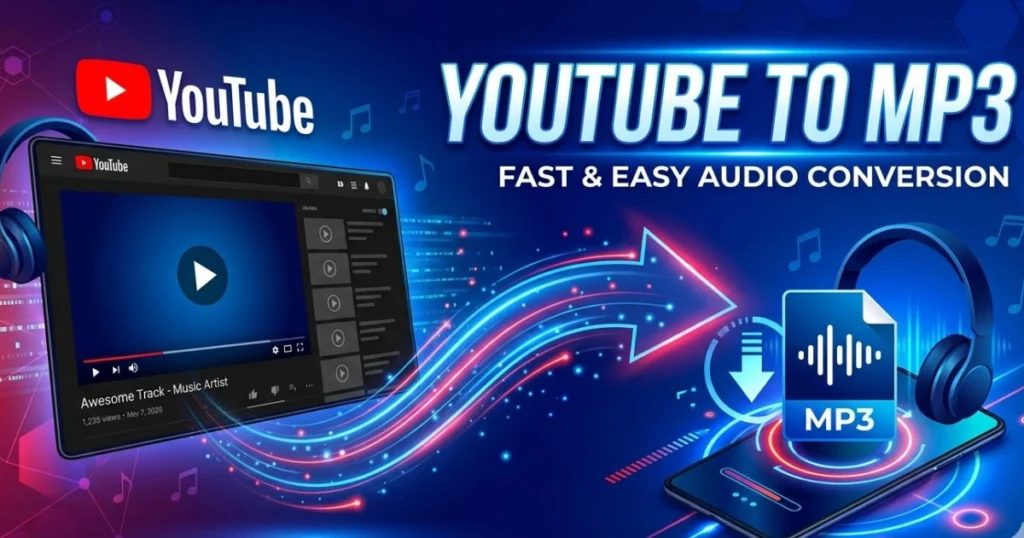
A YouTube to MP3 converter is a tool — web-based, desktop software, or mobile app — that strips the audio track from any YouTube video and saves it as an MP3 file directly to your device. No video file. No streaming dependency. Just clean, portable audio you can play anywhere.
The reasons people use them are as varied as the content on YouTube itself:
- Students save lectures and educational content for offline study
- Commuters build playlists from YouTube music videos and live sessions
- Podcast fans archive interviews and talks they want to revisit
- Language learners download lessons they can replay without internet
- Content researchers collect audio references for projects and writing
The demand is real, the tools are plentiful, and this guide separates the genuinely useful ones from the rest.
What to Look For in the Best YouTube to MP3 Converter
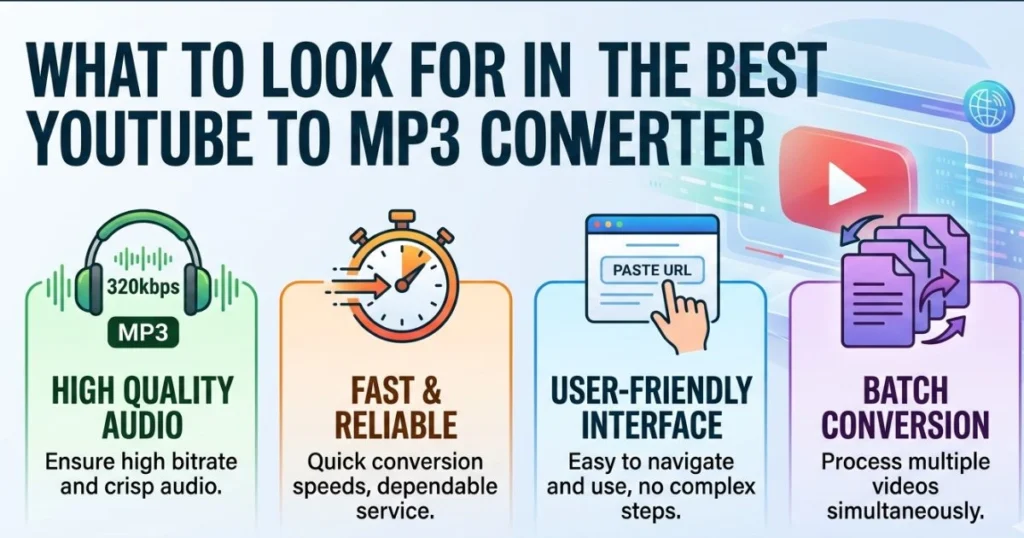
Before jumping to the tool list, you need to know what actually matters when picking a converter. Not all tools are built equally, and the wrong choice can waste your time — or worse, put your device at risk.
Here’s what you should evaluate:
- Conversion speed — Does it process a 10-minute video in seconds or minutes?
- Audio quality options — Can you choose your bitrate (128kbps, 192kbps, 320kbps)?
- Safety record — Is it known for clean downloads, or riddled with malware risk?
- Ease of use — How many steps does it take from URL to download?
- Batch conversion — Can it handle entire playlists at once?
- Platform support — Does it work on your device (Windows, Mac, Android, iOS)?
- Ad experience — Some free tools bury the real download button under fake ones
- Free vs. paid features — What’s locked behind a paywall?
Keep these criteria in mind as you read through the top picks below.
Top 10 Best YouTube to MP3 Converter Tools in 2026
1. YT1s — Best Free Online YouTube to MP3 Converter
If you need something that works right now, in your browser, without downloading anything, YT1s is where you start. It handles the conversion cleanly, supports audio quality up to 320kbps, and gets the job done in a matter of seconds for most videos.
You paste your YouTube URL, select MP3, choose your quality, and hit convert. That’s genuinely it. The interface doesn’t try to trick you with fake buttons, and the ad presence, while noticeable, is manageable — especially with an ad blocker running in the background.
Best for: Casual users who convert a video here and there without needing extra features.
2. 4K YouTube to MP3 — Best Desktop YouTube to MP3 Converter
This is the tool that serious users keep coming back to. 4K YouTube to MP3 is a dedicated desktop application available for Windows, Mac, and Linux, and it brings a level of reliability that browser-based tools simply can’t match consistently.
What makes it stand out is its Smart Mode — you set your preferred format and quality once, and from that point forward, every URL you paste converts automatically without any additional steps. It also handles full playlists and entire YouTube channels, which puts it in a completely different class from most free tools.
The free version covers most needs. The paid Smart mode unlocks faster processing and removes limitations on playlist size.
Best for: Power users, playlist builders, and anyone who converts regularly.
3. OnlineVideoConverter (OVC) — Best for Multiple Formats
Not everyone needs MP3 specifically. If you want the flexibility to convert YouTube audio into AAC, OGG, M4A, or FLAC depending on the situation, OVC gives you that range without requiring an account or any software installation.
The interface is clean, the conversion speed is solid, and the format options go well beyond what most competitors offer. It’s not the fastest tool on this list, but the versatility makes it worth bookmarking.
Best for: Users who work across multiple audio formats and devices.
4. YTMP3.cc — Best for Instant No-Fuss Conversion
Sometimes you just need it done. No settings, no decisions, no learning curve. YTMP3.cc is as stripped-back as it gets — paste your URL, click convert, download your file. The whole process takes under 30 seconds for most videos.
It caps out at 192kbps for audio quality, which is perfectly fine for speech, podcasts, and even casual music listening. Don’t expect 320kbps audiophile-grade output, but for getting audio off YouTube quickly, nothing beats its simplicity.
Best for: First-time users and anyone who wants zero friction.
5. Converto.io — Best for High-Speed Conversion
Converto.io uses parallel processing on its servers, which means it handles longer videos — full lectures, extended interviews, long music sets — significantly faster than most online tools. Where other converters start to lag on videos over 30 minutes, Converto holds up well.
The interface is clean, the ads are minimal, and the output quality reaches 320kbps. If speed matters to you and you’re regularly converting longer content, this tool deserves a spot in your bookmarks.
Best for: Users converting long-form content like lectures, speeches, and extended sessions.
6. MP3FY — Best YouTube to MP3 Converter for Mobile Users
Most YouTube to MP3 converters are built with desktop users in mind. MP3FY is different — its interface is genuinely optimized for mobile browsers, meaning it works smoothly on your phone without the clunky layouts and misfiring tap targets you get on other tools.
You don’t need to download an app. Open it in your mobile browser, paste your YouTube link, select MP3, and download directly to your phone’s storage. It’s that straightforward, and it works consistently across both Android and iOS browsers.
Best for: Smartphone and tablet users who want a smooth mobile experience.
7. Loader.to — Best for Batch YouTube to MP3 Conversion
If you need to convert an entire YouTube playlist — say, 40 lecture videos, a full album, or a podcast series — doing it one by one is not a workflow. Loader.to solves this with a proper queue system that handles batch downloads without breaking a sweat.
You paste a playlist URL, select your format and quality, and it works through the list automatically. It also supports multiple output formats beyond MP3, giving you flexibility alongside the batch functionality. It’s completely free and browser-based.
Best for: Researchers, teachers, students, and anyone downloading content in bulk.
8. Any Audio Converter — Best Free Desktop Software
Any Audio Converter is a full desktop application for Windows that goes beyond simple downloading. Yes, it pulls audio from YouTube URLs — but it also lets you trim audio clips, edit metadata tags, adjust output settings, and convert between a wide range of audio formats.
If you’ve ever downloaded a song and wanted to clean up the file title, adjust the bitrate, or cut out a section before saving it, this tool handles all of that in one place. It’s free, it’s offline, and it gives you a level of control that online tools can’t.
Best for: Desktop users who want editing and organization features alongside downloading.
9. MP3FY / Snappea — Best for Music-First Users
For users whose primary use case is music — finding a live version of a song, grabbing a DJ set, saving a rare acoustic performance — Snappea offers a music-focused experience that feels more like a streaming app than a utility tool. The interface is clean, the results are fast, and the audio quality is reliable.
Best for: Music lovers who want a smoother, more curated download experience.
10. SnapDownloader — Best Premium YouTube to MP3 Converter
If you’re at the point where you need a tool that simply never fails — fast, clean, high-quality, and packed with features — SnapDownloader is the premium option that justifies its price. It supports batch downloads, playlist conversion, scheduled downloading, and output quality up to 320kbps.
It also doubles as a video downloader for when you need the visual content too, supporting resolutions up to 8K. A free trial is available, and the one-time purchase price makes it a strong value for professionals and heavy users.
Best for: Professionals and power users who need complete reliability and advanced features.
Comparison Table — Best YouTube to MP3 Converters at a Glance
| Tool | Type | Max Quality | Batch | Free | Best For |
|---|---|---|---|---|---|
| YT1s | Online | 320kbps | ❌ | ✅ | Casual use |
| 4K YouTube to MP3 | Desktop | 320kbps | ✅ | Partial | Power users |
| OVC | Online | 320kbps | ❌ | ✅ | Multi-format |
| YTMP3.cc | Online | 192kbps | ❌ | ✅ | Beginners |
| Converto.io | Online | 320kbps | ❌ | ✅ | Speed |
| MP3FY | Online/Mobile | 192kbps | ❌ | ✅ | Mobile users |
| Loader.to | Online | 320kbps | ✅ | ✅ | Batch jobs |
| Any Audio Converter | Desktop | 320kbps | ✅ | ✅ | Desktop + editing |
| SnapDownloader | Desktop | 320kbps | ✅ | Trial | Professionals |
How to Use a YouTube to MP3 Converter — Step by Step
Method 1 — Using an Online Converter (e.g., YT1s)
- Open YouTube and find the video you want
- Copy the complete URL from the address bar in your browser.
- Navigate to YT1s (or your preferred online converter)
- Paste the URL into the search/input box
- Select MP3 as your output format
- Choose your preferred audio quality (192kbps or 320kbps recommended)
- Click Convert and wait for processing
- Click Download to save the file to your device
Method 2 — Using a Desktop App (e.g., 4K YouTube to MP3)
- Download and install the application on your computer
- Open YouTube and copy the video or playlist URL
- Paste the URL into the app’s input field
- Set your preferred output format (MP3) and bitrate
- Click Download
- Your file saves automatically to the designated output folder
Method 3 — On Mobile (e.g., MP3FY)
- Open YouTube on your phone and find your video
- Tap the share button and copy the link
- Open MP3FY in your mobile browser
- Paste the link into the converter field
- Select MP3 format and tap Convert
- Download the file directly to your phone’s storage
Is Converting YouTube Videos to MP3 Legal?
This is the question everyone has but few articles answer directly — so here it is, plainly.
YouTube’s Terms of Service technically prohibit downloading content from the platform without explicit permission. That applies to converters. However, the practical and legal picture is more layered than a simple yes or no.
Here’s what you need to understand:
- Personal use vs. redistribution — Downloading for your own private listening is treated very differently than redistributing or monetizing someone else’s content
- Copyright-free content — Thousands of YouTube videos are published under Creative Commons licenses or are explicitly copyright-free. Converting these carries no legal issue
- Fair use principles — In many jurisdictions, limited personal use of copyrighted material for non-commercial purposes falls under fair use — though this varies significantly by country
- Your own content — If you uploaded the video yourself, you have every right to download the audio
The safest and cleanest approach: convert content you own, content that is copyright-free, or content where the creator has explicitly allowed downloads.
⚠️ Disclaimer: This article is for informational purposes only and does not constitute legal advice. Always check the copyright laws applicable in your region before downloading any content.
Are YouTube to MP3 Converters Safe to Use?
Safety is not a minor concern here — it’s a legitimate one. The converter space online is littered with tools that exist not to help you, but to expose your device to risk. Knowing the difference matters.
Risks You Should Know About
- Malware bundled in desktop downloads — Some software-based converters include adware or spyware in their installers
- Fake download buttons — Many ad-heavy sites place large “DOWNLOAD” buttons that actually trigger ad downloads or software installs, not your audio file
- Phishing overlays — Pop-ups designed to look like system warnings that pressure you into clicking
- Data-harvesting forms — Sites that ask for your email or account details for no legitimate reason
How to Protect Yourself
- Stick to the tools named in this guide — all have established track records
- Install an ad blocker like uBlock Origin before visiting any converter site
- Scan any downloaded file with your antivirus software before opening
- Never enter personal information on a converter site — no legitimate tool needs it
- Only use sites that run on HTTPS (look for the padlock in your browser bar)
- If a page bombards you with pop-ups the moment you land, leave immediately
The tools recommended in this guide have all been selected with safety as a core criterion. Stick to them and you dramatically reduce your risk.
YouTube to MP3 Audio Quality — What Bitrate Should You Choose?
Audio quality is measured in bitrate — the amount of data processed per second of audio. Higher bitrate means richer, more detailed sound. Here’s how to decide what you need:
| Bitrate | Quality Level | File Size | Best For |
|---|---|---|---|
| 64 kbps | Low | Very small | Voice memos, basic speech |
| 128 kbps | Standard | Small | General listening, podcasts |
| 192 kbps | Good | Medium | Music, interviews, lectures |
| 320 kbps | High (near lossless) | Larger | Audiophiles, music production |
H4: Pro Tip on Bitrate Selection
For music downloads, always go 192kbps minimum — ideally 320kbps if the tool supports it. For spoken-word content like lectures, podcasts, or interviews, 128kbps delivers clean, clear audio at a much smaller file size. Don’t pay the storage cost of 320kbps for a talk radio recording.
Best YouTube to MP3 Converter for Every Situation
| Your Situation | Best Tool | Key Reason |
|---|---|---|
| You convert once in a while | YT1s or YTMP3.cc | No setup, instant access |
| You download music regularly | 4K YouTube to MP3 | Playlist support + quality |
| You’re a student saving lectures | Loader.to | Batch playlist download |
| You work on mobile | MP3FY | Optimized for mobile browsers |
| You want to edit audio after | Any Audio Converter | Built-in editing tools |
| You need professional reliability | SnapDownloader | Premium speed and features |
| You need multiple audio formats | OVC | Widest format support |
Free vs. Paid YouTube to MP3 Converters — The Real Difference
Free Converters
Advantages:
- No cost whatsoever
- No account or sign-up required
- Accessible from any browser instantly
Drawbacks:
- Ad-heavy interfaces that can be confusing or risky
- Speed throttling on larger files
- Quality caps (often 192kbps max on free tiers)
- No batch or playlist support in most cases
Paid Converters
Advantages:
- Significantly faster processing
- Maximum quality output (320kbps guaranteed)
- Full batch and playlist support
- No ads, no fake buttons, no distractions
- Dedicated customer support
Drawbacks:
- Monthly subscription or one-time purchase cost
- More than necessary for users who convert occasionally
The Bottom Line
If you convert a video every couple of weeks, a free online tool handles that perfectly well. If you’re downloading playlists regularly, archiving content for work, or simply tired of navigating ad mazes, a paid desktop tool pays for itself in saved time and frustration within the first week of use.
Frequently Asked Questions About the Best YouTube to MP3 Converter
Q1 — What is the best YouTube to MP3 converter in 2026?
For online use without any installation, YT1s and YTMP3.cc are the strongest free options. For desktop users who need playlist support and consistent quality, 4K YouTube to MP3 is the top choice. For professionals, SnapDownloader leads on features and reliability.
Q2 — Is the best YouTube to MP3 converter really free?
Yes — several of the best options are completely free, including YT1s, YTMP3.cc, Loader.to, and OVC. Premium tools like SnapDownloader offer free trials, with paid tiers unlocking faster speeds, batch functionality, and ad-free operation.
Q3 — Can I use a YouTube to MP3 converter on my phone?
Absolutely. MP3FY is purpose-built for mobile browsers and works smoothly on both Android and iOS without requiring any app installation. Converto.io also handles mobile use well.
Q4 — What is the highest audio quality available from the best YouTube to MP3 converter?
Most of the tools on this list support up to 320kbps, which is the highest standard MP3 quality tier and delivers near-lossless audio for everyday listening. Note that output quality is also limited by the source video’s original audio quality.
Q5 — Is using a YouTube to MP3 converter illegal?
Converting copyrighted content without the rights holder’s permission technically violates YouTube’s Terms of Service. Converting copyright-free content, Creative Commons material, or your own uploaded videos carries no such issue. Personal, non-commercial use is treated differently from redistribution in most jurisdictions — but always verify the specific laws in your country.
Q6 — Which YouTube to MP3 converter works with no ads?
Paid tools like SnapDownloader and the premium version of 4K YouTube to MP3 are fully ad-free. Among free tools, Converto.io has one of the cleaner ad experiences on the market.
Q7 — Do I need to install anything to use the best YouTube to MP3 converter?
No. Every online tool on this list — YT1s, YTMP3.cc, Loader.to, OVC, Converto.io, and MP3FY — works entirely in your browser. No download, no installation, no account needed. Desktop tools like 4K YouTube to MP3 and SnapDownloader require installation but offer significantly more power in return.
Conclusion — Your Audio, Your Way
You now have everything you need to find the best YouTube to MP3 converter for your exact situation in 2026.
Here’s your quick-reference summary:
- Best free online converter → YT1s or YTMP3.cc
- Best desktop converter → 4K YouTube to MP3
- Best for mobile → MP3FY
- Best for bulk/batch downloads → Loader.to
- Best premium tool → SnapDownloader
- Best for multiple formats → OnlineVideoConverter
- Best for speed → Converto.io
The right converter doesn’t just save you a file — it gives you back control over how, when, and where you listen. No buffering. No data drain. No dependency on a connection that might disappear the moment you need it most.
So pick your tool, paste your first URL, and start building the offline audio library you’ve been putting off.
Your favorite YouTube content deserves to travel with you. Make that happen today.