Corporate Software Inspector: Features, Benefits, and Setup
Table of Contents
Here’s a scenario that plays out in IT departments more often than anyone wants to admit: a security audit reveals that dozens of endpoints across the organization have been running an outdated version of a popular application for months — one with a known critical vulnerability that’s been actively exploited in the wild. Nobody noticed. Nobody flagged it. Because nobody had visibility. That’s precisely the problem Corporate Software Inspector was built to solve. If you manage software across an enterprise environment, this guide walks you through everything you need to know — from what the tool actually does to how to set it up and get the most out of it.
What Is Corporate Software Inspector?
Corporate Software Inspector (CSI) is a vulnerability and patch management tool developed under the Secunia brand, now part of the Flexera software suite. It’s designed specifically for IT departments, system administrators, and managed service providers (MSPs) who need comprehensive visibility into the software running across their organization’s endpoints.
Unlike standard antivirus software, which focuses on detecting malicious activity in real time, CSI takes a proactive approach — it continuously scans your environment for outdated software versions, cross-references them against one of the world’s most comprehensive vulnerability databases, and tells you exactly what needs to be patched before an attacker finds it first.
The distinction matters: antivirus catches threats that have already arrived. CSI prevents the conditions that let those threats in.
Key Features of Corporate Software Inspector
Vulnerability Detection and Scanning
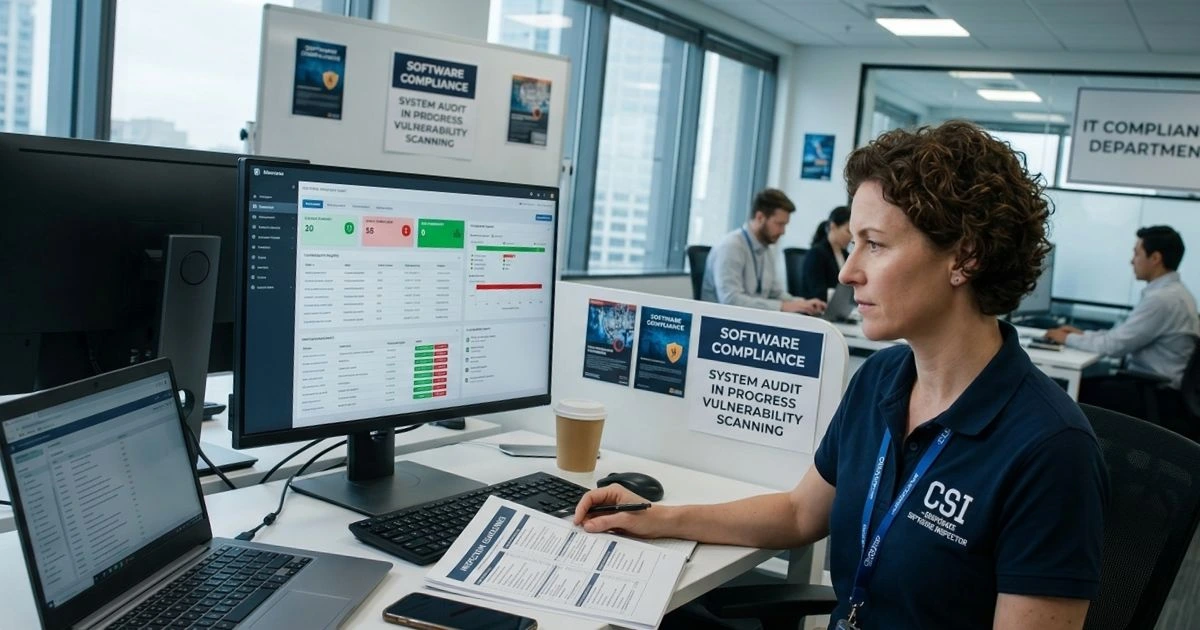
At its core, CSI scans every endpoint in your network and matches installed application versions against the Secunia Vulnerability Intelligence database — a repository covering tens of thousands of software products and their associated CVEs. Every scan produces a clear risk report showing which applications are outdated, which vulnerabilities they carry, and how severe each issue is on the CVSS (Common Vulnerability Scoring System) scale.
Scans can be scheduled (daily, weekly, or monthly) or triggered on demand, giving your team flexibility to work within existing maintenance windows.
Software Inventory Management
Beyond security scanning, CSI functions as a real-time software inventory tool. It automatically detects every application installed across your endpoints, categorizes them by vendor and version, and flags any software that has reached end-of-life (EOL) status — meaning the vendor no longer releases security patches for it.
Running EOL software is one of the most underestimated risks in enterprise security. Once a vendor stops patching, every new vulnerability discovered in that software becomes permanently exploitable.
Patch Management Integration
CSI integrates directly with enterprise patch management platforms including Microsoft WSUS, SCCM, and leading third-party tools. This means vulnerability detection and remediation happen in the same ecosystem — no manual handoff between systems. You can configure automated patch deployment workflows, prioritized by severity, so critical vulnerabilities are addressed first without requiring manual intervention every time.
Compliance Reporting
For organizations operating under regulatory frameworks, CSI’s built-in compliance reports are a significant time saver. Pre-configured templates cover ISO 27001, GDPR, and PCI-DSS requirements. Custom reports can be scheduled for automatic delivery to stakeholders or exported in PDF and CSV formats for audit submissions.
| Feature | Description | Benefit |
|---|---|---|
| Vulnerability Scanning | CVE detection across all endpoints | Reduces attack surface |
| Software Inventory | Complete installed app visibility | Full environment awareness |
| Patch Management | Automated remediation workflows | Saves IT hours weekly |
| Compliance Reports | ISO 27001, GDPR, PCI-DSS templates | Audit-ready documentation |
| EOL Detection | Flags unsupported software | Prevents legacy exploitation |
Benefits of Using Corporate Software Inspector
The IBM 2023 Cost of a Data Breach Report put the average cost of a data breach at $4.45 million. A significant portion of breaches trace back to unpatched known vulnerabilities — the exact category CSI exists to eliminate.
Beyond security, the operational benefits are substantial. Your IT team no longer spends hours manually auditing software versions across hundreds of machines. Patch prioritization becomes data-driven rather than guesswork. And when an auditor asks for a compliance report, you generate it in minutes rather than assembling it manually over days.
For organizations scaling from 50 to 50,000+ endpoints, CSI’s architecture handles the load without requiring proportionally larger IT teams.
Corporate Software Inspector vs. Competitors
| Tool | Free Version | Patch Automation | CVE Database | Best For |
|---|---|---|---|---|
| Corporate Software Inspector | No | Yes | Secunia/NVD | Enterprise |
| ManageEngine Patch Manager | Yes (limited) | Yes | NVD | SMB |
| Ivanti Patch Manager | No | Yes | Proprietary | Enterprise |
| GFI LanGuard | Trial only | Yes | NVD | SMB/Mid-market |
CSI’s primary competitive advantage is the depth of the Secunia vulnerability database, which has decades of curated CVE data behind it — particularly strong for third-party application coverage that Microsoft-centric tools sometimes miss.
How to Set Up Corporate Software Inspector
System Requirements
Before installation, confirm your environment meets these baseline requirements:
- Windows Server 2016, 2019, or 2022
- Minimum 4 GB RAM (8 GB recommended for larger deployments)
- 20 GB available disk space for the management server
- Network access to all managed endpoints
- Domain administrator credentials for agent deployment
Installation Steps
- Log in to the Flexera customer portal and download the CSI installer
- Run the setup file as Administrator on your designated management server
- Complete the configuration wizard — this covers database setup, network scan ranges, and initial admin credentials
- Deploy the lightweight CSI agent to your endpoints using Group Policy (GPO) or manual installation for smaller environments
- Return to the management console and trigger your first full network scan
- Review the vulnerability dashboard — prioritize anything scored 7.0 or higher on the CVSS scale
Configuring Scan Policies
Once your initial scan is complete, configure your ongoing scan policies:
- Set scan frequency based on your risk tolerance (daily for high-security environments)
- Configure email or dashboard notifications when new critical CVEs are detected
- Assign severity-based auto-remediation rules for patches that have been tested and approved
Best Practices for Getting the Most Out of Corporate Software Inspector
- Run scans during off-peak hours to minimize network impact
- Address Critical and High CVEs first — don’t let perfect be the enemy of good
- Integrate CSI alerts with your existing SIEM or ticketing system (ServiceNow, Jira, etc.)
- Conduct a quarterly EOL software review and create a migration plan for any flagged products
- Train your IT staff to interpret CVSS scores and distinguish between theoretical and actively exploited vulnerabilities
Conclusion
Corporate Software Inspector gives IT teams the visibility they’ve always needed but rarely had — a clear, real-time picture of every vulnerable application across every endpoint in the organization. In an environment where a single unpatched application can become the entry point for a multi-million-dollar breach, that visibility isn’t a luxury. Set it up, configure it correctly, and let it run. Your future self — and your security auditors — will thank you.
FAQ
Q: What is Corporate Software Inspector used for? Corporate Software Inspector is used to detect, prioritize, and remediate software vulnerabilities across enterprise endpoints by scanning installed applications against a comprehensive CVE database.
Q: Is Corporate Software Inspector free? No, it’s a commercial product from Flexera. A free trial is typically available through the Flexera website for organizations wanting to evaluate it before purchasing.
Q: How does Corporate Software Inspector detect vulnerabilities? It cross-references the version numbers of installed applications against the Secunia vulnerability database and the National Vulnerability Database (NVD) to identify known CVEs.
Q: Is it possible for Corporate Software Inspector to integrate with SCCM? Yes. CSI integrates natively with Microsoft SCCM, WSUS, and other enterprise patch management platforms, enabling end-to-end vulnerability detection and remediation in a single workflow.
Q: How many endpoints can Corporate Software Inspector manage? CSI is built for enterprise scale and can manage environments ranging from a few dozen to over 50,000 endpoints, depending on your license tier.
Managing a complex IT environment? Share your biggest software vulnerability challenge in the comments — we’d love to hear how your team handles it.