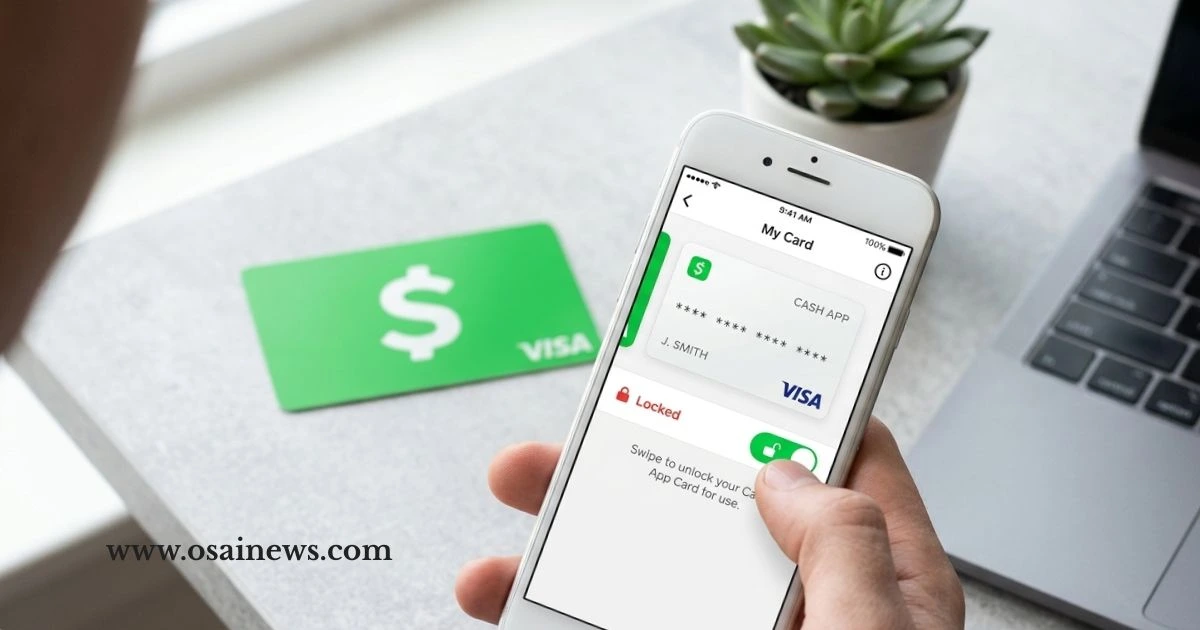
How to Unlock Cash App Card: Simple Step-by-Step Guide
Table of Contents
You finally got it — that sleek, black Cash App Card sitting right in your hands. Maybe you’ve been waiting a few days for it to arrive, or maybe a friend told you about it and you signed up just yesterday. Either way, you’re ready to use it. You tap it at the register, or try an online purchase — and nothing happens.
That moment of confusion hits harder than expected.
Here’s the truth: your Cash App Card doesn’t come ready to go straight out of the envelope. It needs to be unlocked first. And if nobody told you that, you’re in the right place. This guide walks you through exactly how to unlock your Cash App Card — in plain, simple steps — so you can start spending without another second of frustration.
What Is the Cash App Card and Why Does It Need Unlocking?
Understanding Your Cash App Card
Your Cash App Card is a free Visa debit card tied directly to your Cash App balance. It can be used anywhere Visa is accepted, including grocery stores, gas stations, restaurants, and online retailers. You can even customize how it looks when you order it.
But unlike a regular bank card, it doesn’t activate the moment it lands in your mailbox.
Why It Comes Locked by Default
Cash App locks new cards as a security measure. If your card gets intercepted in the mail or ends up in the wrong hands before you even see it, no one can use it. That lock protects you.
Cards can also get re-locked if:
- There’s unusual or suspicious activity on your account
- You manually locked it and forgot
- Your account needs additional verification
- You’ve been inactive for an extended period
Understanding why it’s locked helps you figure out which unlocking method fits your situation best.
Before You Start — What You’ll Need
Don’t skip this part. Before you begin the steps, ensure you have the following ready:
- ✅ A verified Cash App account in good standing
- ✅ Your physical Cash App Card in hand
- ✅ The Cash App installed on your iPhone or Android device
- ✅A reliable internet connection (Wi-Fi or cellular data).
- ✅ Your Cash App PIN, Face ID, or Touch ID ready to go
If any of these are missing, sort that out first — otherwise the unlock process won’t complete.
How to Unlock Cash App Card — 4 Step-by-Step Methods
Method 1: Unlock via the App (Most Common Method)
This is the method most people use and the fastest one available.
- Open Cash App on your phone
- Tap the Cash Card icon at the bottom of your screen (it looks like a card)
- Tap on your card image or go into card settings
- Find the “Enable Card” toggle or “Unlock” option
- Toggle it ON
- Confirm using your PIN, Touch ID, or Face ID
- Look for the green confirmation — your card is now active
Quick tip: If the toggle is already green, your card is already unlocked. The issue might be something else entirely, like your balance or a merchant restriction.
Method 2: Activate a New Card Using the QR Code
Got a brand-new card? This method is built specifically for first-time activation.
- Open Cash App
- Tap the Cash Card tab at the bottom
- Select “Activate Cash Card”
- Choose “Use QR Code”
- Point your phone camera at the QR code found on your card packaging or card itself
- Follow the on-screen instructions to finish
This whole process takes about 60 seconds when your camera is working properly. Make sure you’re in a well-lit area and that camera permissions are enabled for the Cash App.
Method 3: Manual Activation Using CVV (No QR Code Needed)
Maybe your QR code is scratched, torn, or just won’t scan. No stress — there’s a manual path.
- Open Cash App
- Tap the Cash Card tab
- Select “Activate Cash Card”
- Tap “Use CVV Instead”
- Enter your card’s CVV number (3 digits on the back) and expiration date
- Confirm and complete
This method works just as well as the QR code option — it just takes a few extra seconds of typing.
Method 4: Re-Enable a Previously Locked Card
If you locked your card yourself — maybe for a trip or just as a precaution — here’s how to bring it back:
- Open Cash App
- Tap the Cash Card icon
- Scroll through card settings
- Find the “Lock Card” or “Unlock Card” option
- Toggle it to unlock
- Confirm your identity if prompted
Done. Your card is back in action within seconds.
Comparison of All 4 Unlock Methods
| Method | Best For | Needs QR Code | Time Needed |
|---|---|---|---|
| App Toggle | Existing users, quick unlock | No | Under 1 minute |
| QR Code Activation | First-time new card setup | Yes | 1–2 minutes |
| CVV Manual Entry | Damaged or unscannable QR code | No | 1–2 minutes |
| Card Settings Toggle | Re-enabling a self-locked card | No | Under 1 minute |
Common Problems When Unlocking Your Cash App Card (And How to Fix Them)
“Activate Cash Card” Option Isn’t Showing
This happens more than you’d think. Possible reasons:
- Your Cash App is outdated — update it from the App Store or Google Play
- Your account isn’t fully verified — complete identity verification in settings
- Your card hasn’t shipped yet — check your order status
QR Code Won’t Scan
- Check that camera permissions are enabled for Cash App
- Move to a brighter location
- Clean your phone’s camera lens
- If nothing works, switch to the CVV method
Card Still Getting Declined After Unlocking
- Check your Cash App balance — you might not have enough funds
- Confirm the card toggle is green and enabled
- Some merchants don’t accept prepaid Visa cards
- Your account may have a flag or restriction — contact Cash App support
Forgot Your Cash App PIN
Go to Settings → Security → Change PIN inside the app. Follow the prompts to reset it using your linked email or phone number.
Keeping Your Cash App Card Safe After Unlocking
Unlocking your card is just the first step. Keeping it secure is what matters long-term. Here’s what to do right after activation:
- Turn on transaction notifications so you see every charge in real time
- Lock your card manually whenever you’re not using it — especially while traveling
- Never share your card number, CVV, or PIN with anyone
- Enable two-factor authentication on your Cash App account
- Review your transaction history weekly to catch anything unusual early
These habits take less than five minutes to set up and can save you a serious headache down the road.
Special Scenarios — Unlocking Your Cash App Card in Unique Situations
If You’re Under 18
Cash App allows users between 13 and 17 to have accounts with parental approval. If that’s your situation, your parent or guardian needs to approve the card activation through their linked account. The unlock steps remain the same — just make sure the adult on the account completes the confirmation steps.
After Reporting Your Card Stolen
If you reported your card lost or stolen, that card is permanently disabled — and that’s a good thing. Contact Cash App support to request a replacement card. Once it arrives, use the QR code or CVV method to activate and unlock it fresh.
When Traveling Internationally
Your Cash App Card is primarily designed for use within the United States. Before you travel, make sure your card is unlocked and active. If you’re heading abroad, be aware that some transactions may not go through — it’s smart to carry a backup payment method just in case.
Conclusion
Getting your Cash App Card unlocked isn’t complicated — it just requires knowing the right steps. Whether you’re activating a brand-new card with the QR code, entering your CVV manually, or simply toggling the card back on after a self-imposed lock, the whole process takes under two minutes.
You now have four clear methods at your fingertips, a troubleshooting guide for the most common hiccups, and the security habits to keep your card protected going forward.
Your next step? Open Cash App right now, follow the method that fits your situation, and get that card working. Once it’s active, check that your notifications are on and your PIN is set — then you’re good to go.
Your money. Your card. Your control. Make it work for you.
Frequently Asked Questions
How to unlock Cash App card if I lost my phone?
Log into Cash App from another device using your credentials. All card settings are tied to your account, not your phone — so you can unlock from any device you’re signed into.
How long does it take to unlock a Cash App card?
Most methods take under two minutes. The QR code and CVV methods may take slightly longer if you run into minor technical hiccups.
Can I unlock my Cash App card without the app?
No. The Cash App mobile application is required for all card activation and unlock procedures. There is no web-based alternative for this specific function.
Why did my Cash App card lock itself again after I unlocked it?
Automatic re-locking usually happens due to suspicious transaction patterns, failed payment attempts, or an account verification issue. Check your account status and contact support if it keeps happening.
How to unlock Cash App card after too many failed PIN attempts?
Reset your PIN through Settings → Security → Change PIN. If you’re locked out entirely, contact Cash App support through the app’s help section or their official website.
Is there any fee to unlock or activate my Cash App card?
None at all. Activating and unlocking your Cash App Card is completely free — no hidden charges, no processing fees.
How do I know my Cash App card is successfully unlocked?
The card toggle in the app will appear green, and you’ll typically receive a push notification confirming the card is active. Do a small test transaction to be sure.