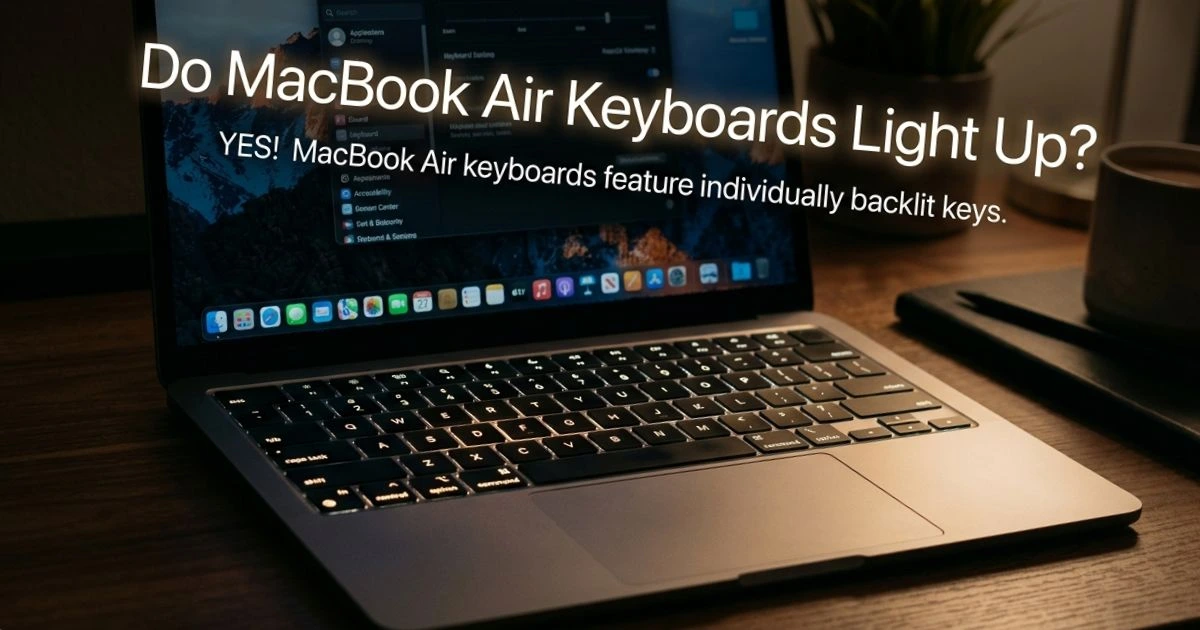
Do MacBook Air Keyboards Light Up? Complete Guide
Table of Contents
Late at night, the room dim, you’re deep in a document when you suddenly realize — you can’t see the keys. You squint, tilt the screen for more light, and find yourself wondering: do MacBook Air keyboards light up at all? Many people have asked themselves the same question. Thousands of MacBook Air users search for this answer every day, especially those switching from Windows laptops or picking up a second-hand Mac. The answer is both simple and worth exploring in detail — because not every MacBook Air is created equal when it comes to keyboard backlighting.
Do MacBook Air Keyboards Light Up? The Direct Answer
Yes — but with one important caveat. Modern MacBook Air models do have backlit keyboards, but older models do not. The backlight feature was introduced to the MacBook Air lineup with the Retina display models in 2018, and every MacBook Air released since then includes it as a standard feature.
Here’s a clear breakdown by model:
| MacBook Air Model | Year | Backlit Keyboard? |
|---|---|---|
| MacBook Air (M3) | 2024 | ✅ Yes |
| MacBook Air (M2) | 2022 | ✅ Yes |
| MacBook Air (M1) | 2020 | ✅ Yes |
| MacBook Air (Retina, 2019) | 2019 | ✅ Yes |
| MacBook Air (Retina, 2018) | 2018 | ✅ Yes |
| MacBook Air (2017) | 2017 | ❌ No |
| MacBook Air (2015 and earlier) | Pre-2018 | ❌ No |
If you’re unsure which model you have, click the Apple logo > About This Mac to find your exact model and year.
How to Turn On the Backlit Keyboard on MacBook Air
Now that you know your MacBook Air supports keyboard backlighting, let’s talk about how to actually use it — because the backlight doesn’t always turn on automatically.
Automatic Backlight Adjustment
Every MacBook Air from 2018 onward includes an ambient light sensor embedded in the display bezel. This sensor constantly monitors the lighting conditions around you and adjusts the keyboard brightness accordingly. In a dark room, the backlight increases. In bright sunlight, it dims or turns off entirely to save battery.
This automatic system works seamlessly in most situations. However, if you’re in an in-between lighting condition — like a dimly lit café — the sensor might not activate the backlight to your preferred level. That’s where manual control comes in.
Manually Adjusting Keyboard Brightness
You have several ways to manually control the keyboard backlight:
Method 1 — Function Keys (older MacBook Air models):
- Press F5 to decrease keyboard brightness
- Press F6 to increase keyboard brightness
Method 2 — Control Center (macOS Monterey and later):
- Tap the Control Center icon located in the top-right corner of the menu bar.
- Look for the Keyboard Brightness slider
- Drag it left or right to adjust
Method 3 — System Settings:
- Click Apple Menu > System Settings
- Select Keyboard
- Find the Keyboard brightness slider and adjust as needed
- You can also turn “Adjust keyboard brightness in low light” on or off from this setting.
Why Is My MacBook Air Keyboard Not Lighting Up?
If your MacBook Air supports backlighting but the keyboard isn’t lighting up, don’t panic. There are several common reasons this happens, and most are easy to fix.
Common Reasons the Backlight Isn’t Working
- The keyboard brightness was manually set to zero
- The “Adjust keyboard brightness in low light” setting is turned off in System Settings.
- A recent macOS update caused a software glitch
- The ambient light sensor is covered or obstructed (a screen protector placed too low can do this)
- Rarely — a hardware defect
How to Fix MacBook Air Keyboard Backlight Issues
Work through these steps in order:
- Check the brightness slider — Open Control Center and verify the keyboard brightness isn’t set to minimum
- Enable automatic adjustment — System Settings > Keyboard > turn on “Adjust keyboard brightness in low light”
- Reset NVRAM (Intel Macs) — Shut down, then hold Option + Command + P + R at startup for 20 seconds. NVRAM stores display and keyboard settings
- Reset SMC (Intel Macs) — Shut down, then hold Shift + Control + Option + Power for 10 seconds. The SMC controls hardware behavior including backlighting
- Upgrade macOS by opening System Settings, selecting General, and then clicking Software Update. A bug fix may already be available
- Contact Apple Support — If none of the above works, book a Genius Bar appointment
How to Customize MacBook Air Keyboard Backlight Settings
Beyond basic on/off control, you can fine-tune how your MacBook Air manages the keyboard backlight to balance visibility and battery life.
Turn off backlight after inactivity: Navigate to System Settings > Keyboard, and look for the option that reads “Turn keyboard backlight off after X seconds of inactivity.” Setting this to 5 or 10 seconds is a great way to extend battery life without sacrificing usability during active typing.
Battery saving tip: At maximum brightness, the keyboard backlight draws a small but measurable amount of power. Apple estimates that reducing screen and keyboard brightness together can extend battery life by up to an hour during intensive use.
Third-party apps: Apps like Keyboard Brightness (available on the Mac App Store) give you even finer control, including scheduling backlight changes based on time of day.
MacBook Air vs MacBook Pro — Keyboard Backlight Comparison
| Feature | MacBook Air | MacBook Pro |
|---|---|---|
| Backlit Keyboard | Yes (2018+) | Yes (all modern models) |
| Brightness Levels | Adjustable (multi-level) | Adjustable (multi-level) |
| Ambient Light Sensor | Yes | Yes |
| Touch Bar Backlight | No | Yes (select Intel models) |
| Battery Impact | Minimal | Minimal |
| Color Options | White only | White only |
The keyboard backlight on the MacBook Air and MacBook Pro is functionally identical in day-to-day use. The Pro’s advantage was the Touch Bar on Intel models, which added a secondary illuminated strip — but with Apple Silicon MacBook Pros now using standard function keys, the gap has largely closed.
Tips for Using Your MacBook Air Keyboard in the Dark
Even with a backlit keyboard, a few habits make night-time typing more comfortable:
- Balance screen and keyboard brightness — a very bright screen with dim keys works fine for most people, saving battery
- Use a keyboard cover carefully — silicone covers can block some of the backlight. Look for covers specifically labeled as “backlight-compatible”
- Increase text size when working in low light to reduce eye strain alongside the keyboard glow
- Night Shift mode (System Settings > Displays > Night Shift) reduces blue light from the screen, making the combination of screen and keyboard backlight easier on your eyes
Conclusion
So — do MacBook Air keyboards light up? For every model released from 2018 onward, absolutely yes. The backlit keyboard on the MacBook Air is a polished, well-integrated feature that adjusts automatically to your environment and gives you full manual control when you want it. Whether you’re troubleshooting a backlight that won’t turn on or simply learning to customize it for the first time, you now have everything you need to make the most of it.
FAQ: Do MacBook Air Keyboards Light Up
1. Do MacBook Air keyboards light up on all models? No. Only MacBook Air models from 2018 onward have backlit keyboards. The 2017 MacBook Air and all earlier models do not include this feature. Check your model year via Apple Menu > About This Mac.
2. Why is my MacBook Air keyboard not lighting up in the dark? The most common reason is that the keyboard brightness is set to zero, or the “Adjust keyboard brightness in low light” option is turned off. Go to System Settings > Keyboard to check both settings.
3. How do I turn on the keyboard light on MacBook Air? Press F6 to increase brightness, or open Control Center and adjust the Keyboard Brightness slider. You can also enable automatic adjustment in System Settings > Keyboard.
4. Does keeping the MacBook Air keyboard backlight on drain battery? Slightly, yes. The impact is minimal at medium brightness, but setting the backlight to turn off after a few seconds of inactivity is a smart habit that can meaningfully extend your battery life over a full day of use.
5. Do MacBook Air keyboards light up in different colors? No. The MacBook Air keyboard backlight is white only. Unlike some Windows gaming laptops, Apple does not offer RGB or multi-color backlighting on any MacBook model.
💬 Found this guide useful? Share it with someone who just picked up a new MacBook Air and is figuring out all its features. And if you have a backlight tip we didn’t mention, leave it in the comments — we’d love to hear it!